
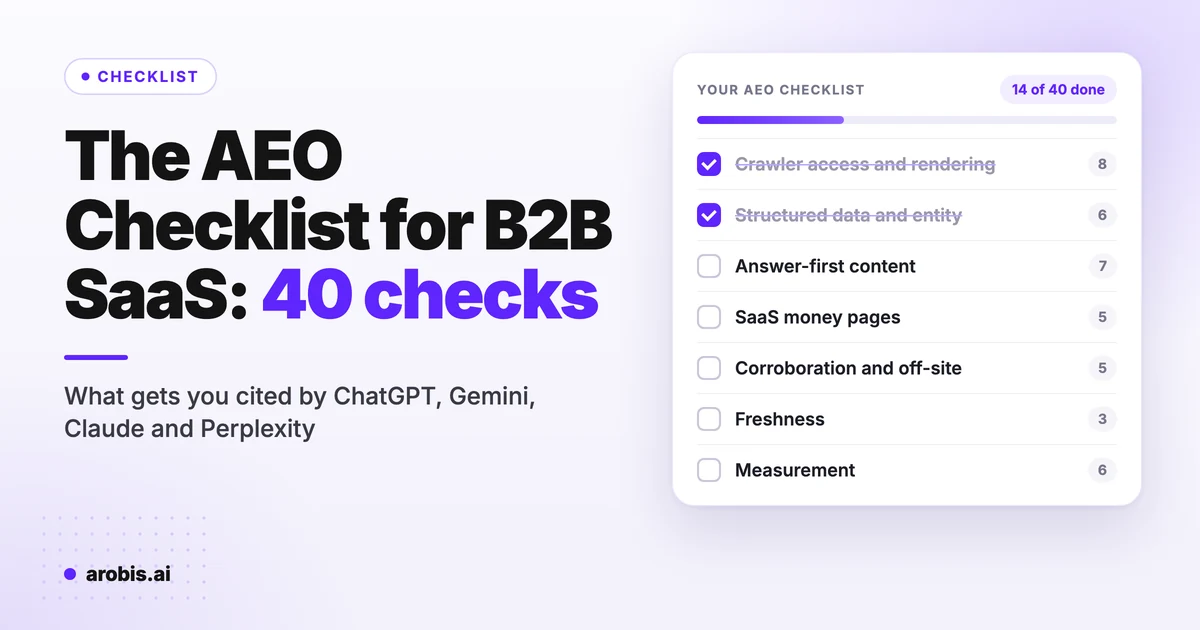
An AEO checklist is the list of checks that decide whether ChatGPT, Gemini, Claude, Perplexity and Google AI Overviews can reach your site, work out who you are, and quote or recommend you. This one has 40 checks for B2B SaaS, grouped into seven areas, and each one shows how often real websites fail it.
Most checklists are opinion. This one runs on data. Failure rates come from our AI Readiness Report, which aggregates 2,012 scans of 1,980 websites run through our free checker. The recommendation numbers come from our own prompt-run studies. Where a check has a measured failure rate, it sits next to the check.
One caveat. The sites in that sample chose to check their AI visibility, so they are more AI-aware than the average website. Read every failure rate below as a floor. The wider web is worse.
Tick the boxes as you go (ticks reset when you reload the page). Under each checklist is the detail: what each check is, why it matters and the exact test. For the wider strategy, read our AI visibility guide.
The 10 checks most sites fail
The ten checks with the highest measured failure rates. A high rate is not the same as high impact: FAQPage tops the list, but a site that blocks GPTBot has a much bigger problem. The prioritization section sorts that out.
Crawler access and rendering (technical GEO checklist)
This is the technical GEO checklist: eight checks that decide whether an AI engine can read your site at all. Nothing else counts if the crawler gets a block page.
Sites where GPTBot got no page averaged 60.1 points out of 100. Sites that served it a full page averaged 83.5.
Crawler access and rendering
Test a dozen of these checks free in about a minute
The free Arobis AI Visibility Checker fetches your homepage as GPTBot, ClaudeBot, PerplexityBot and Googlebot, then checks robots.txt, JSON-LD, Organization schema, H1s, word count, meta tags, canonical and llms.txt. That covers checks 1, 2, 3, 5, 6, 9, 10, 12, 15, 18, 20 and 34.
1. robots.txt allows the AI crawlers you want
Your robots.txt should exist, and it should not disallow the crawlers behind the engines your buyers use. For OpenAI that is GPTBot and OAI-SearchBot. For Anthropic, ClaudeBot. For Perplexity, PerplexityBot. Gemini and AI Overviews rely on Googlebot. Google-Extended is a separate token that controls whether Google can use your content for Gemini; blocking it does not remove you from Google Search.
Explicit blocking is rare: 91.1% of scanned sites publish a robots.txt, 3.8% disallow GPTBot and 4.3% disallow any of the seven AI tokens checked. To opt out of training but still get cited, block the training token and allow the search and user-triggered agents.
How to test: open yourdomain.com/robots.txt and read every User-agent group, including the * group. A blanket Disallow: / under * also applies to any AI bot that has no group of its own.
2. GPTBot gets a full page on a live fetch
A robots.txt allow is a statement of intent. What counts is what your server sends back when GPTBot actually asks for a page. In the readiness data, 19.2% of sites returned no usable page to GPTBot, while only 3.8% block it in robots.txt.
Worse, 18.2% of sites whose robots.txt explicitly allows OpenAI's crawlers still blocked GPTBot on a live fetch (336 of 1,847). Every browser test those owners run passes, so they rarely find out.
How to test: the checker above fetches your homepage as GPTBot. From a terminal, approximate it with curl -A "GPTBot/1.1" -I https://yourdomain.com and look for a 200, not a 403. Some firewalls also check the crawler's IP range, so confirm in your server or CDN logs that real GPTBot requests get 200 responses.
3. All four AI engines get a full page
ChatGPT is not the only engine with a crawler problem. On a live fetch, 93.9% of sites served a full page to Googlebot, 92.0% to PerplexityBot, 82.8% to ClaudeBot and 80.3% to GPTBot. Put together, 23.5% of websites block at least one of the four engines and 4.1% block all four.
A site Gemini can read and Claude cannot is invisible to every prospect who researches vendors in Claude.
How to test: use the checker, which probes all four engines, or repeat the curl test from check 2 with the ClaudeBot, PerplexityBot and Googlebot user agents.
4. CDN, firewall and bot rules let AI search bots in
Most AI blocking happens at the CDN, firewall or bot-protection layer, where managed rule sets treat AI crawlers as scrapers. The fingerprint is clear: 6.1% of websites serve full pages to Googlebot and PerplexityBot but block both GPTBot and ClaudeBot. That is what a managed bot rule looks like. Nobody chose it.
In your CDN or WAF (Cloudflare, Akamai, Fastly, Vercel), review the AI bot and verified bot settings. Allow the search and user-triggered agents (OAI-SearchBot, ChatGPT-User, Claude-SearchBot, Claude-User, PerplexityBot, Perplexity-User) even if you keep training crawlers out. Check rate limits and JavaScript challenges too: they pass humans and hand bots an empty shell.
How to test: in your CDN's security events log, filter by user agent for GPTBot and ClaudeBot and look for blocks or challenges. Re-run the live fetch after every security change.
5. Core content is in the HTML, not only rendered by JavaScript
Googlebot renders JavaScript. Most AI crawlers fetch the HTML and stop. If your headline and pricing appear only after scripts run, they see an almost empty page.
9.2% of homepages in the readiness data carry fewer than 100 words of readable text. Most are JavaScript single-page apps and image-led landing pages, and they average 42.6 points out of 100.
How to test: use View Source (not Inspect) on your key pages, or curl the URL, and search for your H1 and first paragraph. If they are not in the raw HTML, move marketing pages to server-side rendering or static generation.
6. One canonical host and a canonical tag on every page
Pick one host, www or non-www, on https. Make every other version 301 to it and put a self-referencing canonical tag on every page.
84.9% of scanned homepages have a canonical tag. HTTPS is near universal at 99.1%.
How to test: request the http and www variants of your homepage; each should 301 once to the canonical URL, which should match the rel=canonical tag.
7. Indexed in Bing as well as Google
Microsoft Copilot answers from Bing's index, so a page Bing has not indexed cannot be cited there. A site scan cannot see indexing, so there is no failure rate here. It is cheap to fix and easy to forget.
Bing Webmaster Tools also reports how often Copilot cites your pages, one of the few first-party AI citation numbers you can get. Our guide on how to rank in Microsoft Copilot covers the rest.
How to test: verify the site in Bing Webmaster Tools, submit your sitemap, inspect your top five URLs and turn on IndexNow.
8. A clean XML sitemap with honest lastmod dates
List only canonical, indexable URLs, with lastmod dates that move when the page really changes. Search engines, and the AI systems built on their indexes, use it to find new pages. Bump lastmod for nothing and they learn to ignore it.
Speed is rarely the bottleneck. The median server response in the readiness sample is 656 ms.
How to test: open /sitemap.xml and spot-check for redirected, noindexed or 404 URLs. Submit it in Google Search Console and Bing Webmaster Tools, and compare a few lastmod values against your real edit history.
Structured data and entity
Once a crawler can read the page, it has to work out who you are. Structured data and consistent entity facts tell machines that this page belongs to a named company that does one specific thing.
The 23.3% of sites with no JSON-LD at all average 49.8 points. Sites with it average 87.2.
Structured data and entity
9. JSON-LD structured data on every key template
76.7% of scanned homepages ship at least one JSON-LD block. Part of the score gap is mechanical, since structured data is 20% of the score, but sites without JSON-LD rarely fail on schema alone.
CMS plugins emit WebSite and WebPage on their own, which is why they lead the readiness table (63.4% and 40.9%). They do little by themselves. The useful types name you and your product.
How to test: run your homepage, a product page, pricing and a blog post through the Schema.org validator and confirm every block parses.
10. Organization schema with logo and sameAs links
Organization, or a subtype like ProfessionalService, is the one entity that ties a page to a named company. Only 63.6% of scanned homepages declare one. Sites that do average 89.3 points, against 59.7 for sites that do not.
Include name, url, logo, a one-sentence description, and sameAs links to your LinkedIn page, Crunchbase, G2 and other official profiles. sameAs is what lets an engine join your site to everything else the web says about you.
How to test: search your homepage source for "@type":"Organization" (or your subtype) and click every sameAs URL. Each one should resolve and point to your company, not a namesake.
11. One entity description, word for word, across the web
Write one sentence that says what you are, who it is for and which category you sit in. Then use it word for word on your homepage, About page, LinkedIn, G2, Capterra, Crunchbase and directory listings.
Five different descriptions give engines a blurry picture of you.
How to test: ask ChatGPT, Gemini and Claude in a logged-out session: "What is [brand] and who is it for?" Compare each answer with your sentence. Where they drift, a source on the web disagrees with you.
12. A real About page and clear company signals
The readiness scan looks for an About or company signal on the homepage and finds one on 83.8% of sites. The rest give no clear sign of who is behind the site.
For a B2B SaaS company the About page should state founding year, headquarters, leadership by name, the segments you serve and how to reach you, in plain text.
How to test: confirm the About page is linked from the nav or footer and the facts are in text.
13. SoftwareApplication or Product schema on product pages
If you sell software, say so in schema. SoftwareApplication (or Product) with applicationCategory, operatingSystem and offers gives engines structured facts about the product, not only the company. Add aggregateRating only if the rating is genuine and visible on the page.
Only 5.0% of scanned homepages use SoftwareApplication.
How to test: run your product and pricing pages through the Rich Results Test and check the offers match the prices on the page.
14. FAQPage and Article schema that match visible content
FAQPage is the schema type most closely tied to answer-style content, and only 17.2% of homepages use it. Sites that do average 93.2 points, against 75.5 for the rest. Google no longer shows FAQ rich results for most sites, so do this for machine clarity, not for a search feature.
On blog and resource pages, add Article or BlogPosting with a named author, datePublished and dateModified. Every question and answer you mark up must also be visible on the page.
How to test: compare the marked-up text with what a visitor sees. Hidden or mismatched Q&A is a spam signal.
Answer-first content and extraction
Engines quote passages. These seven checks make it easy for a model to lift a correct answer from your page and credit you.
Answer-first content and extraction
15. Exactly one H1 that says what the page is
20.3% of scanned homepages have no H1 at all, and 14.2% have more than one. Homepages with exactly one H1 average 85.2 points. Those with none average 58.6.
The usual cause is a headline built as an image, a styled div or a JavaScript component. On a SaaS homepage the H1 should name the category and the buyer, for example "Payroll software for remote teams". Slogans do not count.
How to test: view source and search for <h1. You want exactly one, and it should be text.
16. A 40 to 60 word direct answer under the main question
Put a direct answer of 40 to 60 words right under the H1 or the question heading, before any background. It has to make sense on its own: name the subject, give the answer, add one qualifying detail.
"X is a Y for Z" beats "In this guide we will look at".
How to test: copy your first paragraph into a blank document. If a stranger understands the answer without the rest of the page, it passes.
17. Headings phrased the way buyers ask
Use H2s and H3s that mirror how people ask assistants. "How much does payroll software cost for a 50-person team?" works. "Pricing considerations" does not.
Engines split one prompt into several sub-searches, often called query fan-out. Question-shaped headings make it obvious which passage answers which sub-question.
How to test: at least half your H2s should be questions or direct answers. Pull real phrasing from long queries in Search Console.
18. Enough real text in the HTML
Homepages with 800 or more words of readable text average 86.5 points in the readiness data. Those under 100 words average 42.6. The median homepage carries 919 words.
No padding needed, just enough text to say what you do, who it is for, what it costs and why you over the alternatives.
How to test: the checker reports homepage word count. For other pages, use reader view and count.
19. Lists, steps and HTML tables that make sense when quoted alone
Numbered steps, bulleted criteria and real HTML tables are far easier to extract than facts buried in paragraphs. Keep the key noun in each list item so it reads correctly when quoted alone.
Never put pricing or comparison data only in an image or a PDF.
How to test: turn images off, or read the page in a text-only view, and confirm every key fact is still there.
20. A meta description and Open Graph tags on every page
These are often the first summary a system reads, and what shows when someone pastes your link into a chat. 89.9% of scanned homepages have a meta description, but only 68.2% have an Open Graph image.
How to test: view source and look for meta name="description", og:title, og:description and og:image. Paste the URL into LinkedIn's Post Inspector to see what a share looks like.
21. Named sources, original data and a real author
Link to primary sources, publish your own numbers where you have them (customer data, benchmarks, survey results) and put a real author with a real job title on every article.
A page that says "studies show" with no source gives the model nothing to anchor to.
How to test: take your five most important pages and count named sources and original data points. Zero means the page is opinion.
B2B SaaS money pages (pricing, comparison, use case)
B2B buyers ask assistants for shortlists: best tool for a use case, alternatives to the leader, A vs B, cost. Whether you make the list depends heavily on whether your own pages answer those questions. Brand size does not do it for you.
Our State of AI Search Visibility prompt-run tables show it. Each category got six buying-intent prompts, run three times each, for 18 runs across ChatGPT, Gemini, Claude, Perplexity and Copilot. Monday.com was recommended in 67% of project management runs. Bootstrapped Basecamp was recommended in 100%. Notion landed at 39% and ClickUp at 11%. In CRM, five vendors were recommended in every run while a functional competitor, Salesmate, showed up in 6%.
No scan measures these pages. They answer the prompts closest to a demo request, which is why they sit at the center of our work on AI visibility for SaaS.
B2B SaaS money pages
22. A pricing page with real numbers in HTML text
When a buyer asks "how much does [your product] cost", the engine answers with whatever it can find. If your pricing page says "contact sales" and nothing else, the answer comes from a review site, a reseller or a competitor's comparison page.
Publish plan names, starting prices or ranges, what drives the cost and what each tier includes, as text. If you really cannot publish prices, explain the pricing model and a typical range.
How to test: ask three engines "How much does [brand] cost?" in logged-out sessions. A wrong or missing answer fails the check.
23. Fair comparison and alternatives pages for your top rivals
Alternatives and versus prompts are where shortlists get decided. Publish comparison pages against your top three to five competitors: who each product suits, the real feature differences, the pricing models, and where the other tool wins.
Engines and buyers both discount pages that only praise the author. Check every competitor fact against their current pricing page before you publish.
How to test: ask "[competitor] alternatives for [your ICP]" and "[you] vs [competitor]" and see whose positioning the engine repeats.
24. Use-case and industry pages that match shortlist prompts
Shortlist prompts are specific, like "best CRM for a 20-person B2B SaaS team". One homepage cannot answer all of them.
Build a page for each core use case and industry. Open each with a direct answer that names the use case and why you fit, then back it with proof from that segment: named customers, numbers, quotes.
How to test: write down your top ten buyer prompts and map each one to a single page. Any prompt without a page is a gap.
25. Integration, security and compliance facts in plain text
Buyers ask qualifying questions before they shortlist: Salesforce integration, SOC 2, SSO, data hosting.
Put each answer on an indexable page in plain text: an integrations directory, a security or trust page, and docs crawlers can reach. Anything behind a login does not exist for an engine.
How to test: ask "Does [brand] integrate with [your top integration]?" and "Is [brand] SOC 2 compliant?" and check the answers against reality.
26. Product pages that state category, buyer and difference up front
The first paragraph of every product and feature page should say what category the product is in, who it is for and what makes it different, in the words buyers use. Engines file you into a category from these pages.
If the hero copy is a slogan, the engine guesses, often wrong.
How to test: ask "What category of software is [brand]?" and "Who is [brand] best for?" in clean sessions and compare the answers with your intended positioning.
Corroboration and off-site
Engines do not take your word for it. They recommend brands that other sources agree about: reviews, roundups, forums, analysts and press. A scan cannot measure these five; you test them by reading what engines cite.
Corroboration and off-site
27. Active review profiles on G2, Capterra and your category's review sites
Review platforms are among the sources engines cite most for software questions. Keep complete profiles on G2 and Capterra, plus TrustRadius, Gartner Peer Insights or a niche site if your buyers use them. Fill in category, description and pricing, and keep recent reviews coming.
Reviewer language ends up in how engines describe you.
How to test: ask "best [category] for [ICP]" in Perplexity and ChatGPT search and note which review sites get cited. Make sure you have a strong profile on each one.
28. Listed in the roundups and comparisons engines cite
When an engine builds a shortlist with web search, it leans on "best X" roundups and comparison articles. If you are missing from the five articles it cites most for your category, you are usually missing from the answer.
Map the cited sources for your top prompts, then earn a place through outreach, partnerships, or by giving the author something useful such as data or a trial account.
How to test: run your top prompts and record every cited URL in a sheet. Count how many of those pages mention you.
29. Genuine presence in the communities your buyers use
Reddit, Quora, LinkedIn, Slack groups and niche forums show up in AI answers, especially in Perplexity and Google AI Overviews.
Take part honestly where buyers already talk, and say who you are. Sock-puppet threads get removed and backfire.
How to test: search site:reddit.com "[your category]" and read how, and whether, you come up.
30. Matching facts on LinkedIn, Crunchbase, Wikidata and directories
Your LinkedIn company page, Crunchbase profile, Wikidata entry (if you meet its notability rules), app marketplaces and directories should agree on name, founding year, headquarters, category and description.
When the facts conflict, engines hedge, or pick a competitor they are more sure about.
How to test: open each profile next to your About page and fix every mismatch.
31. Original research that others cite and link to
Original data is the most reliable way to earn citations from engines and the writers they read.
Write each finding as one quotable sentence and keep the methodology on the page, the way the readiness report behind this checklist does.
How to test: search your brand plus "according to" or "study" and count third-party pages citing your data.
Freshness and maintenance
AI answers shift week to week, and engines prefer sources that look maintained.
Freshness and maintenance
32. Visible dates that change only when the content changes
Show published and updated dates in the header, matched by datePublished and dateModified in schema.
Change the updated date only when the substance changes: new facts, new sections, corrected data. Re-dating pages with no real change is a pattern search engines watch for.
How to test: on five pages, the visible date, dateModified and your CMS edit history should agree.
33. A fixed refresh cycle for prices, stats and competitor facts
Stale prices and old stats are how brands get misdescribed in AI answers. Keep a list of facts that expire (your pricing, competitor pricing, product limits, quoted stats) and review money pages at least quarterly.
Fix the source and the answer follows, slowly.
How to test: ask the engines your pricing and three key product facts. Every outdated answer points to a page, yours or someone else's, that needs fixing.
34. An llms.txt file, kept in sync with your key pages
llms.txt is a Markdown file at your site root that hands AI systems a curated map of your site. No major engine has formally committed to reading it, so treat it as cheap insurance, not a ranking factor.
Adoption is climbing anyway. 48.4% of scanned sites publish one, against 10.1% of 300,000 domains in an SE Ranking study. Among sites scanned in September it is 52.5%. Having one and having a good one are different things: in our llms.txt study of 30 SaaS companies, only 6 of the 26 we could check matched the spec.
How to test: open yourdomain.com/llms.txt and confirm it has an H1, a one-line summary and H2 sections whose links all work. Update it whenever you add or retire a key page.
No llms.txt yet? Make one in two minutes
Enter your URL and the free generator crawls your site and drafts an llms.txt in the standard format that you can edit and upload.
Measurement
These six checks tell you whether the work is changing what engines say about you. Our full method is written up in how we measure AI visibility.
Measurement
35. Five money prompts and a wider tracked prompt set
Pick five money prompts, the questions a buyer asks right before booking a demo, like "best [category] for [ICP]". Add 20 to 40 more across problem, alternatives, comparison and pricing intent.
Skip branded prompts like "Is [brand] good?". They flatter you and tell you nothing about discovery.
How to test: write the prompts down and run them before you change anything. That is your baseline.
36. Logged-out sessions, with every prompt repeated
Engines personalize answers. In our own test, a logged-in ChatGPT named Arobis AI first, and a temporary chat with the same prompt did not name it at all.
Run every prompt logged out or in a temporary chat, put the location in the prompt, and repeat each one. One answer is an anecdote. A rate across runs is a measurement.
How to test: run one money prompt three times in a temporary chat and count how many times you are named.
37. Mention rate, position, citation share and competitor wins per engine
Track rates, not screenshots. How often you are named per prompt. Your average position when named. How often the engine cites your own domain. Who wins when you do not.
Split it by engine: a brand can lead in Perplexity and be absent from ChatGPT, and a blended score hides that.
How to test: a sheet with prompt, engine, run, named yes or no, position and cited URLs is enough to start.
38. Google AI impressions tracked in Search Console
Search Console counts appearances in AI Overviews and AI Mode as impressions, and long conversational queries in the Performance report are a strong hint of AI-driven searches.
Our guide on how to rank in Google AI Overviews explains how those surfaces pick their sources.
How to test: in the Performance report, add a query filter with the regex ^(\S+\s){7,} to isolate queries of eight or more words, and track their impressions and clicks over three months, not 24 hours.
39. AI referral traffic as its own channel in GA4
Create a custom channel group in GA4 that pulls referrals from chatgpt.com, perplexity.ai, gemini.google.com, copilot.microsoft.com and claude.ai into one AI channel. Otherwise that traffic and its conversions sit buried in Referral.
The volume is small for most B2B sites, but these visitors arrive already recommended.
How to test: build it under Admin, Channel groups, and confirm it appears in Traffic acquisition.
40. Scans and prompt runs on a fixed schedule
Re-run the site scan after every infrastructure change, such as a new CDN rule, a redesign or a migration. That is when silent crawler blocks appear.
Re-run the prompt set monthly, do a full run across every engine at least quarterly, and log what you changed in between so you can tie movement to work.
How to test: if you cannot say when you last ran either, the check fails.
How to prioritize: failure rate x effort
Rank the work by how likely you are to fail a check, how much it blocks everything after it, and how long the fix takes.
The readiness data points to a clear order. First make sure GPTBot and ClaudeBot get a real page, which means checking the CDN and firewall as well as robots.txt. Then declare who you are with Organization schema and one clear H1. Then put real text in the HTML. Add llms.txt and FAQPage after that.
| Check | Measured rate | Impact | Effort | When |
|---|---|---|---|---|
| 2 to 4. AI crawlers get a full page | 19.2% fail (GPTBot), 23.5% fail (any engine) | Blocks everything else | Low to medium: CDN and WAF settings | This week |
| 10. Organization schema | 63.6% have it | High | Low | This week |
| 15. Exactly one H1 | 20.3% no H1, 14.2% several | High | Low | This week |
| 9. JSON-LD on key templates | 23.3% have none | High | Low to medium | This week |
| 20. Meta description and OG tags | 68.2% have an OG image | Medium | Low | This week |
| 5. Content in the raw HTML | 9.2% under 100 words | Blocks the affected pages | Medium to high: rendering change | This month |
| 22 to 26. Money pages | Not measured by a scan | Highest for B2B shortlists | High | This quarter |
| 27 to 31. Corroboration | Not measured by a scan | Highest for recommendations | High, ongoing | Ongoing |
| 14. FAQPage schema | 17.2% have it | Low to medium | Low | After the above |
| 34. llms.txt | 48.4% have one | Low: no engine has committed to reading it | Very low | After the above |
Measured rates come from the readiness data. Impact and effort ratings are our judgment from client work. A four-week version of the plan:
- Week 1: checks 1 to 6, 9, 10, 15 and 20. Mostly settings and templates.
- Week 2: checks 16 to 19 and 21 on your ten most important pages.
- Weeks 3 and 4: checks 22 to 26 for your top three competitors and top use cases, plus measurement setup (35 to 40) so you have a baseline before the content lands.
- After that: corroboration (27 to 31) and freshness (32 to 34) as standing work.
If you would rather hand it off, working through this list is the first month of every Arobis AI engagement. See pricing for what that costs.
AEO vs GEO checklist: what differs
AEO (answer engine optimization) and GEO (generative engine optimization) overlap so much that most checklists treat them as one. The useful difference is the outcome each one aims at. AEO is about getting a page extracted and cited as the answer to a question. GEO is about getting the brand named when an engine writes a shortlist. Our guides to answer engine optimization and generative engine optimization cover the definitions in depth.
| Area | AEO checklist | GEO checklist |
|---|---|---|
| Goal | Your page is quoted or cited as the answer | Your brand is named in the generated recommendation |
| Typical prompt | "What is X?" "How do I do Y?" | "Best X for Y." "X alternatives." |
| Main levers | Answer-first passages, question headings, schema, extractable lists | Entity consistency, money pages, reviews, roundups, communities |
| Checks on this page | 9, 14 to 21, 32 | 11, 22 to 31, 33 |
| Shared foundation | Crawler access, rendering and measurement: checks 1 to 8 and 35 to 40 | Same checks |
| Main metric | Citation share | Mention rate and position when named |
A B2B SaaS company needs both. An engine that cites your blog post and then recommends a competitor has given you AEO without GEO. Call it an AEO checklist, a GEO checklist, an AI SEO checklist or an LLM SEO checklist: the first eight checks are identical whatever you call it.
Frequently asked questions
What is an AEO checklist?
An AEO checklist is a list of checks that decide whether AI answer engines can read your site, understand who you are and cite or recommend you. A useful one also tells you how to test each item.
What is the difference between an AEO checklist and a GEO checklist?
An AEO checklist focuses on getting your pages extracted and cited as the answer to a question. A GEO checklist focuses on getting your brand named in AI-generated recommendations and shortlists. The technical foundation is the same for both.
What should a technical GEO checklist include?
At minimum: a robots.txt that allows the AI crawlers you want, live fetch tests as GPTBot, ClaudeBot, PerplexityBot and Googlebot, CDN and firewall rules that do not silently block them, key content in the raw HTML, one canonical host, Bing indexing and a clean sitemap. The live fetch matters most, because 19.2% of scanned sites return no usable page to GPTBot.
Does llms.txt belong on an AEO checklist?
Yes, near the bottom. No major engine has formally committed to reading llms.txt, so it is low-cost insurance rather than a ranking factor. Fix crawler access, schema and content first. Our step-by-step guide on how to create an llms.txt file covers the format.
How often should you run an AEO checklist?
Run the full list once, then re-check the technical items after every site change such as a redesign, a CDN change or a migration. Re-run your prompt set monthly and review money pages quarterly.
Which AEO checks matter most for B2B SaaS?
Crawler access comes first, because nothing else counts if GPTBot gets a block page. After that, the money pages: pricing, comparison, alternatives and use-case pages, because B2B buyers ask assistants for shortlists. Notion, a household name, was recommended in only 39% of our project management prompt runs.
How can you test your site against this checklist for free?
The free Arobis AI Visibility Checker covers about a dozen of these checks in one scan: live fetches as four AI crawlers, robots.txt, schema, H1s, word count, meta tags, canonical and llms.txt. The rest need manual prompts in logged-out sessions.
Is an AEO checklist the same as an AI visibility audit?
No. An AEO audit checklist tells you what to check. An AI visibility audit measures the outcome: which buyer prompts name you, which competitors win instead, which sources engines cite, and which of these 40 checks explain the gap.