
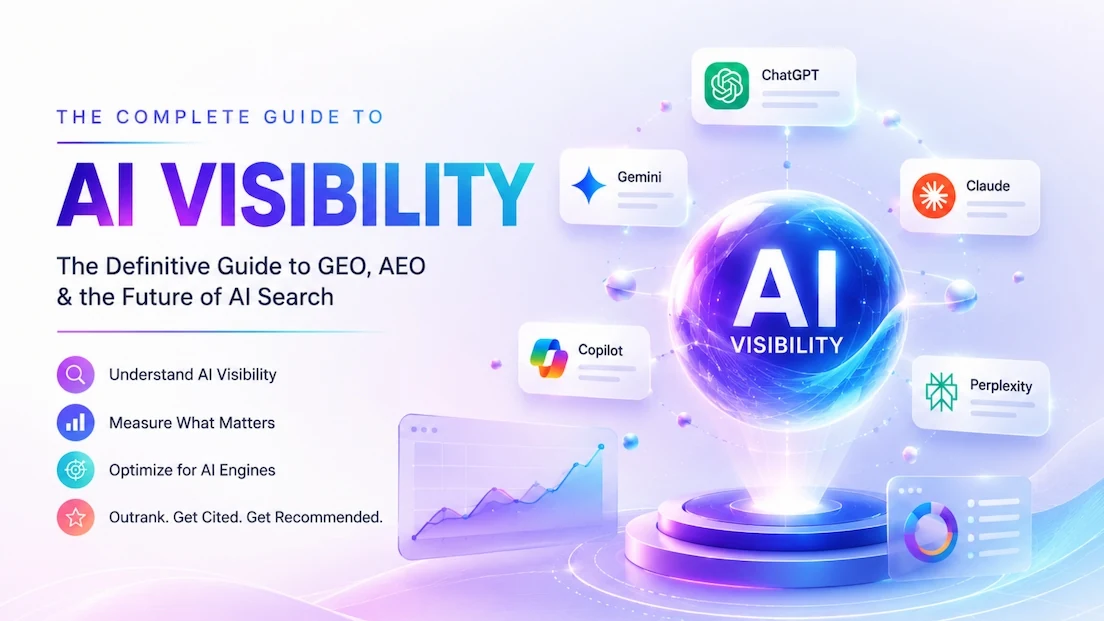
AI visibility metrics measure how often, how well and how accurately AI engines like ChatGPT, Gemini, Claude, Perplexity and Copilot talk about your brand. The eight that matter are mention rate, citation rate, recommendation rate, share of AI voice, position distribution, accuracy and sentiment, AI referral traffic, and Google AI impressions. Each one has a simple formula, shown below.
This guide is for B2B SaaS marketers who need AI search numbers that hold up in front of a CMO or board. You'll get the formulas, a sampling method that deals with how much AI answers vary, the exact GA4 and Search Console setup, a worked example and a copyable tracking template.
What are AI visibility metrics?
AI visibility metrics are the numbers that describe your brand's presence inside AI-generated answers. Classic SEO metrics start at the click: rankings, sessions, conversions. AI answers often settle the question before anyone clicks, so you need a second layer that measures what the buyer saw.
That layer has three jobs:
- Presence: does the engine name you when a buyer asks about your category?
- Quality: is the mention accurate, positive and near the top, or a trailing footnote?
- Outcome: does that exposure turn into visits, demos and pipeline?
No single metric covers all three, so the list below mixes answer-level metrics from prompt runs with site-level metrics from GA4 and Search Console.
One number puts the stakes in context. In Ahrefs' re-run of its AI Overviews study, the presence of an AI Overview correlated with a 58% lower average clickthrough rate for the top-ranking page (December 2025 data, 300,000 keywords, Ahrefs). Measure only clicks and you'll miss much of that visibility.
The 8 AI visibility metrics that matter
The table puts all eight side by side. Definitions and worked calculations come after it.
| Metric | Formula | Where the data comes from |
|---|---|---|
| Mention rate | Answers naming you / total answers | Prompt runs |
| Citation rate | Answers linking your domain / total answers | Prompt runs |
| Recommendation rate | Answers where you are a recommended pick / total answers | Prompt runs |
| Share of AI voice | Your mentions / all tracked brand mentions | Prompt runs |
| Position distribution | % of your mentions named 1st, 2nd to 3rd, lower | Prompt runs |
| Accuracy and sentiment | Accurate, non-negative mentions / your mentions | Prompt runs, reviewed |
| AI referral traffic | Sessions and key events from AI sources | GA4 |
| Google AI impressions | Impressions in AI Overviews and AI Mode | Search Console |
1. Mention rate
Mention rate is the share of AI answers that name your brand at all. It's the base metric, the AI equivalent of "do we rank?"
Formula: answers that mention your brand divided by total answers collected, times 100. If you ran 200 answers and you were named in 50, your mention rate is 25%.
Count an answer once, even if it names you three times.
2. Citation rate
Citation rate is the share of answers that link to or list a URL on your domain as a source. It's different from a mention. An engine can name you while citing a G2 page, a Reddit thread or a competitor's comparison post.
Formula: answers citing at least one URL on your domain divided by total answers, times 100.
Log which URL got cited as well as whether you were cited. That tells you which pages are doing the work. AirOps' 2026 State of AI Search research found that about 85% of brand mentions come from third-party domains rather than the brand's own site, and that brands earning both mentions and citations were 40% more likely to reappear across consecutive answers (AirOps). A low citation rate next to a healthy mention rate is normal.
3. Recommendation rate
Being named isn't the same as being recommended. "Tools like X, Y and Z exist" is a mention. "For a mid-market SaaS team, X is the best fit" is a recommendation.
Formula: answers where your brand is presented as a recommended option for the buyer's stated need divided by total answers, times 100.
This one is a judgment call, so write the rule down and keep it fixed. A practical rule: count it when the engine names you as the top pick or says you suit the buyer's use case.
4. Share of AI voice
Share of AI voice compares you to a fixed set of competitors. It answers the board question: "Are we winning our category in AI answers, or is someone else?"
Formula: your brand mentions divided by the total mentions of every tracked brand (you plus your chosen competitors), times 100.
Pick three to five real competitors and keep the list stable, or your share will move for reasons unrelated to performance.
5. Position distribution
First named beats a trailing mention. But AI lists reshuffle constantly (see the sampling section), so don't report an average rank the way you would for Google.
Formula: of all answers that mention you, the percentage where you're named first, second or third, and lower down. Report the three buckets side by side.
6. Accuracy and sentiment rate
A mention that gets your pricing wrong, calls you a tool when you're a service, or recommends you for the wrong segment can hurt more than silence.
Formula: mentions that are factually correct and neutral or positive divided by all your mentions, times 100. Log every error separately: wrong pricing, outdated features, wrong category, invented claims.
Most dashboards skip this one, yet it's the metric that most often becomes a to-do list. For ongoing checks, see our guide to AI brand monitoring.
7. AI referral traffic and conversions
This is the outcome layer. Track sessions that arrive from AI engines, and the key events those sessions trigger: demo requests, trials, pricing page views.
Formulas: AI referral sessions per month; AI share of traffic = AI sessions divided by all sessions; AI conversion rate = AI key events divided by AI sessions.
Expect the absolute numbers to be small. Conductor's 2026 AEO/GEO Benchmarks Report, based on 13,770 domains and 3.3 billion sessions, found AI referral traffic was 1.08% of all website traffic, with IT the highest industry at 2.8% and 87.4% of AI referrals coming from ChatGPT (Conductor). Judge this channel on conversions, not volume.
8. Google AI impressions
Google now reports how often links to your site appear inside AI Overviews and AI Mode. It's one of two free first-party AI visibility reports, alongside the AI Performance report in Bing Webmaster Tools.
What to track: monthly AI impressions, the pages earning them, and the trend. Setup details are in the Search Console section below.
How to measure AI visibility, step by step
Metrics 1 to 6 come from running prompts and scoring the answers. Metrics 7 and 8 come from tools you already own. The steps that follow cover both.
Step 1: Build a prompt library
Every answer-level metric depends on the prompts you choose. Pick prompts a real buyer would type, not keywords. Aim for 20 to 50 to start, split across four types:
- Category prompts: "What are the best payroll platforms for a 200-person SaaS company?"
- Problem prompts: "How do I cut month-end close time for a subscription business?"
- Comparison prompts: "Brand A vs Brand B for usage-based billing"
- Brand prompts: "What does [your brand] do and how much does it cost?"
Tag each prompt with a funnel stage (top, middle, bottom). Bottom-funnel prompts, the ones where a buyer asks for a shortlist, are where absence costs the most, so weight your reporting toward them.
Step 2: Run each prompt several times, not once
Most teams skip this step, and it breaks their numbers. AI answers vary from run to run.
In research published in January 2026, SparkToro and Gumshoe had 600 volunteers run 12 prompts through ChatGPT, Claude and Google's AI 2,961 times. The odds of an identical brand list on two runs came out below 1 in 100, and the odds of the same list in the same order were about 1 in 1,000. The useful part: how often a brand appears across many runs was a meaningful signal, with top brands in narrow categories appearing in 55% to 97% of runs (SparkToro). AirOps saw the same instability: only 30% of brands stayed visible from one answer to the next, and 20% across five consecutive runs.
So the rule is simple: report percentages across repeated runs, never a single screenshot. A practical baseline is five runs per prompt per engine, logged out or in a clean session, in the country you sell to.
Here is what a snapshot looks like in practice. On September 26, 2026 we tested Google AI Mode with five B2B buyer prompts on AI visibility tools (US location, signed out, no personalization, a single run each). Otterly was named in 4 answers, Profound in 3, and Arobis AI in 0 of 5. Useful, but it's one run per prompt, and a rerun would change some names. Only repeated runs turn a snapshot into a metric. To run that by hand, use our manual AI recommendation check.
Step 3: Score every answer the same way
Record the same fields for every answer: brand mentioned, position, cited URL, competitors named, and an accuracy and sentiment note. The template below has the exact columns. Two people scoring differently will create fake trends, so agree the rules first.
Step 4: Set up AI referral tracking in GA4
GA4 added a native AI Assistant channel to the Default Channel Group on May 13, 2026. Google names ChatGPT, Gemini and Claude as examples (Google Analytics Help). It hasn't published the full list of sources it recognizes, so check which of your AI sources actually land there before you rely on it.
For full control, build your own channel in a custom channel group:
- Go to Admin, then Data display, then Channel groups, and create a new channel group (or copy the default one).
- Add a channel called "AI assistants" with the condition Source matches regex.
- Paste this regex: chatgpt\.com|chat\.openai\.com|perplexity\.ai|gemini\.google\.com|copilot\.microsoft\.com|claude\.ai
- Reorder the channels so "AI assistants" sits above "Referral". Google's own documentation says to do this, because traffic goes into the first channel whose rule it matches (Google Analytics Help). If Referral comes first, your AI visits get filed as ordinary referrals.
- Save, then use the new group in Traffic acquisition and in your conversion reports.
Keep the regex specific: matching any source containing "ai" also catches mail providers. Update it when a new assistant starts sending traffic. Our full walkthrough, with screenshots and reporting views, is in how to track AI traffic to your website.
One caveat: many AI-influenced visits never carry a referrer. A buyer reads an answer, then types your URL or searches your brand name. That's why branded search is part of the next step.
Step 5: Read the Generative AI report in Search Console
Google's Generative AI performance report covers AI Overviews and AI Mode on Google Search. You'll find it under Performance reports. According to Google's documentation (Search Console Help):
- Metric: impressions only. An impression is counted when links to your site are shown to a user in a generative AI feature.
- Not included: clicks, CTR, position and queries.
- Dimensions: pages, countries, dates and devices.
- Overlap: the data is also part of the Web search type in the main Performance report, so don't add the two together.
Use it to see which URLs Google shows in AI features and whether that's growing. To find the long, conversational queries behind that traffic in the regular Performance report, use the method in our guide to finding AI search queries in Google Search Console.
Step 6: Validate with branded search
If AI engines start recommending you more, more buyers search for you by name. Track branded search impressions and clicks in Search Console, plus direct traffic and returning users in GA4, and put them next to your mention rate. When mention rate and branded demand rise together over a quarter, you have a credible story.
Worked example: one SaaS brand, 600 answers
This example is illustrative. The brand is hypothetical and the numbers are invented round figures, chosen to show the math, not to report a real client.
Meet LedgerLoop, a fictional billing platform for mid-market SaaS. The team tracks 30 prompts across 4 engines (ChatGPT, Gemini, Perplexity and Copilot) with 5 runs each. That's 30 times 4 times 5, or 600 answers a month.
- Mention rate: LedgerLoop is named in 150 of 600 answers. 150 / 600 = 25%.
- Citation rate: 60 answers cite a ledgerloop URL. 60 / 600 = 10%.
- Recommendation rate: 72 answers present it as a recommended pick. 72 / 600 = 12%.
- Share of AI voice: across all 600 answers, the tracked brands get 500 mentions: LedgerLoop 150, Competitor A 180, Competitor B 120, Competitor C 50. 150 / 500 = 30%, second to Competitor A at 36%.
- Position distribution: of LedgerLoop's 150 mentions, 30 are named first (20%), 75 second or third (50%), and 45 lower down (30%).
- Accuracy and sentiment: 126 of 150 mentions are accurate and non-negative (84%). The 24 problem answers mostly repeat an old price.
- AI referral traffic: GA4 shows 180 AI-assistant sessions and 9 demo requests, a 5% conversion rate.
- Google AI impressions: Search Console shows 4,200 AI impressions for the month, concentrated on three pages.
Split by funnel stage, LedgerLoop's mention rate is 38% on top-funnel prompts but only 12% on bottom-funnel shortlist prompts. It's known, but not chosen. So the team has two priorities: get onto the third-party comparison pages engines cite on shortlist prompts, and fix the outdated pricing everywhere it's published.
AI visibility measurement template
Copy these columns into a spreadsheet. One row per answer. The example rows use the fictional LedgerLoop from above.
| Prompt | Stage | Engine | Run | Brand mentioned? | Cited URL | Competitors named | Sentiment/accuracy |
|---|---|---|---|---|---|---|---|
| Best billing platform for usage-based SaaS | Bottom | ChatGPT | 1 | Yes, 2nd | None | A, B | Positive, accurate |
| Best billing platform for usage-based SaaS | Bottom | ChatGPT | 2 | No | None | A, B, C | n/a |
| How to automate SaaS revenue recognition | Top | Perplexity | 1 | Yes, 1st | /blog/rev-rec-guide | A | Neutral, accurate |
| LedgerLoop pricing | Bottom | Gemini | 1 | Yes, 1st | /pricing | None | Neutral, old price |
From that sheet, every metric is a simple count. Mention rate is the share of "Yes" rows. Citation rate is the share of rows with a URL on your domain. Share of AI voice comes from the "Competitors named" column plus your own mentions. The accuracy column becomes your fix list.
Should you use a single AI visibility score?
Many tools roll everything into one 0 to 100 AI visibility score. It's handy for a quick check and for showing a trend on one slide. It's weak as your only KPI, because a single number hides the things you need to act on: which prompts you lose, which sources shape the answer, and whether the engine describes you correctly.
Our view: use a score as the headline, and keep the eight metrics underneath it as the working layer. For a first number to put under that headline, the free AI visibility checker rates your site's readiness for ChatGPT, Claude, Gemini and Perplexity. Here's a walkthrough:
Treat the result as a baseline, then track it properly with the prompt library and repeated runs above.
AI visibility metrics by engine
The metrics are the same everywhere, but each engine has quirks.
ChatGPT visibility metrics
ChatGPT drove 87.4% of AI referral traffic in Conductor's data, so it usually deserves the most prompt runs. Not every answer shows sources, so expect citation rate to trail mention rate. In GA4, look for chatgpt.com as the source. For what moves these numbers, see how to rank in ChatGPT.
Gemini AI visibility metrics
Measure the Gemini app and Google's AI features in Search separately. Run prompts in the Gemini app for mention and recommendation rate, and use the Search Console report for AI Overviews and AI Mode. Gemini app visits show up in GA4 as gemini.google.com. For tactics, read how to rank in Google Gemini.
Claude AI visibility metrics
If your buyers use Claude, include it in your prompt set. Score it on the same prompts as the other engines so share of voice stays comparable. GA4 names Claude as one of the assistants in its AI Assistant channel; referrals arrive as claude.ai. For what influences Claude's answers, see how to rank in Claude.
Perplexity visibility metrics
Perplexity shows its sources alongside most answers, so it's the easiest engine for measuring citation rate. To improve visibility in Perplexity, list the domains it cites on your shortlist prompts and work out how to get onto them. Make sure perplexity.ai is in your GA4 regex. For the logic behind which sources Perplexity keeps and drops, see our engine-by-engine selection breakdown.
Microsoft Copilot visibility metrics
Copilot matters most if your buyers live in Microsoft 365. Run the same prompts, log answers the same way, and track copilot.microsoft.com in GA4. If your Copilot numbers are low, how to rank in Microsoft Copilot lists what to change.
AI visibility benchmarks
There's no official standard for a "good" mention rate yet. Published research gives you these reference points:
- AI referral share of traffic: 1.08% of all website traffic on average, 2.8% in IT (Conductor, 13,770 domains).
- AI Overview coverage: 25.11% of about 21.9 million Google searches in Conductor's sample triggered an AI Overview.
- Answer stability: under 1 in 100 chance of the same brand list twice (SparkToro and Gumshoe, 2,961 runs).
- Strong category visibility: top brands in narrow categories appeared in 55% to 97% of repeated runs (SparkToro and Gumshoe).
- Run-to-run persistence: 30% of brands stayed visible from one answer to the next, 20% across five runs (AirOps).
- Where mentions come from: about 85% from third-party domains (AirOps).
Category-level benchmarks for these metrics are in our State of AI Search Visibility report.
Arobis AI working ranges (not industry benchmarks)
For planning, we use these working ranges for mention rate on a buyer-intent prompt set. They're our own planning rule of thumb, not a published benchmark, and the right target shifts by category and competition:
- Under 10%: low visibility. The engines barely know you in this category.
- 10% to 25%: emerging. You show up, but not reliably.
- 25% to 50%: strong. You're a regular part of the answer.
- Over 50%: category leader, which lines up with the 55% to 97% range SparkToro saw for top brands.
Your share of AI voice against a fixed competitor set still matters more than any absolute threshold.
Reporting cadence and dashboard
AI answers move fast, but reacting to daily noise wastes time. A cadence that works for most SaaS teams:
- Weekly: spot-check your top 10 bottom-funnel prompts for big changes or new errors.
- Monthly: full run of the prompt library, all eight metrics, trend versus last month.
- Quarterly: competitor review, prompt library refresh, and a pipeline view for leadership.
A one-page dashboard should show mention rate and share of AI voice by engine, bottom-funnel recommendation rate, citation rate with top cited URLs, open accuracy errors, AI referral sessions and conversions, Google AI impressions and branded search. Print the prompt and run counts too, so nobody mistakes a small sample for a trend.
Tools to automate tracking
A spreadsheet works for 20 prompts. Past that, a tracker saves hours by running prompts on a schedule. We compare the options in our roundup of the best AI visibility tools, and if budget is tight, start with the best free AI visibility tools. Whatever you pick, check how many runs per prompt it does and which engines it covers before trusting its score.
Frequently asked questions
What are AI visibility metrics?
AI visibility metrics measure how your brand appears in answers from engines like ChatGPT, Gemini, Claude, Perplexity and Copilot. The core set is mention rate, citation rate, recommendation rate, share of AI voice, position distribution, and accuracy and sentiment, plus two site-level outcomes: AI referral traffic in GA4 and AI Overview and AI Mode impressions in Google Search Console.
How do you measure AI visibility?
Build a library of 20 to 50 real buyer prompts, run each one several times on every engine you care about, and log each answer in a consistent sheet. Then calculate mention, citation and recommendation rates, and share of voice against fixed competitors. Add AI referral sessions from a GA4 channel group and AI impressions from Search Console to connect visibility with outcomes.
What is a good AI visibility score?
There's no published industry standard yet. Top brands in narrow categories appeared in 55% to 97% of repeated runs in SparkToro and Gumshoe's research. As a working range, we treat a mention rate above 25% on buyer-intent prompts as strong and above 50% as category leadership. Your share of voice against direct competitors matters more than any absolute number.
What is share of AI voice?
Share of AI voice is your brand's mentions divided by the total mentions of every brand you track, across the same set of AI answers. If your brand gets 150 mentions and your tracked competitors get 350 between them, your share is 30%. Keep the competitor list fixed over time so the trend stays meaningful.
How often should you measure AI visibility?
Monthly is a sensible baseline for a full run of your prompt library, with weekly spot-checks on your most important bottom-funnel prompts and a quarterly competitor and prompt review. Answers vary run to run, so daily measurement mostly captures noise.
Why doesn't all my AI traffic show up in GA4?
Some AI visits arrive without a referrer, so GA4 files them as direct. Others can land in Referral if your AI channel sits below Referral in a custom channel group, because GA4 assigns traffic to the first matching channel. Many buyers also read an answer and then search your brand name, which shows up as branded organic search instead.
Can AI search drive pipeline without clicks?
Yes. A buyer can see your brand recommended in ChatGPT, then visit later by typing your URL or searching your name. That influence never shows up as an AI referral. Track mention and recommendation rates alongside branded search, direct traffic and a "how did you hear about us" field on demo forms that lists AI assistants.
How do you fix inaccurate AI answers about your brand?
Log each error with the prompt, engine and the source the answer cited. Correct the fact on your own site first, especially pricing, product and category pages, then update third-party profiles the engines rely on, such as review sites and directories. Recheck the same prompts over the following weeks, since engines pick up changes at different speeds.
Turn your metrics into recommendations
Measuring AI visibility tells you where you stand. Moving the numbers takes work on the sources engines trust, the pages they cite and the way your category is described across the web. Arobis AI runs that work for B2B SaaS companies as an AI Search Demand Generation agency, with the eight metrics above as the scorecard. The goal is to move your mention and recommendation rates, and tracking is only the starting point. See how AI visibility for SaaS works and our pricing. Contract terms, the team and reporting are covered in our buyer FAQ on working with Arobis AI. To start on your own, work through our AEO audit checklist.